![Preseem logo white-1.png]](https://docs.preseem.com/hs-fs/hubfs/Preseem%20logo%20white-1.png?height=40&name=Preseem%20logo%20white-1.png)
The Support Assistant is billed in credits per chat. Each chat uses one credit, which is charged when the Assistant returns its first response. You are billed per chat, not per message or per subscriber.
- A credit is used whether or not the chat resolves the issue.
- A chat that has already used a credit can keep going after your balance reaches zero, and you can resume an earlier chat without using another credit.
- A credit is used when the Assistant first responds, even if the identifier you entered can’t be found. If that happens, correct it in the same chat; the chat still uses only one credit.
|
Credit type |
How do you get it |
Expiry |
|---|---|---|
|
Included Assists |
Credits are reloaded every month for every Plus customer. The amount depends on your subscriber count. |
Reset monthly on your billing date. Unused credits do not carry over. |
|
Purchased credits |
Additional credits are sold in blocks. Contact your Preseem account team for pricing. |
Six months from the grant date. Unused credits then expire. |
Checking Your Balance:
Admin users can see every credit grant, its amount, and its expiry under Settings > Billing > Amplify, including your current Included Assists amount.
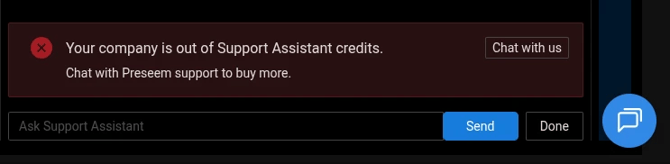
If You Run Out of Credits:If you start a new chat with no credits remaining, you will see a message asking you to contact Preseem Support. Your Preseem account team can then arrange additional credits.